Travel & Hospitality Marketing Email Template
“Choose your preferred seats — Germany trip”
Design Score
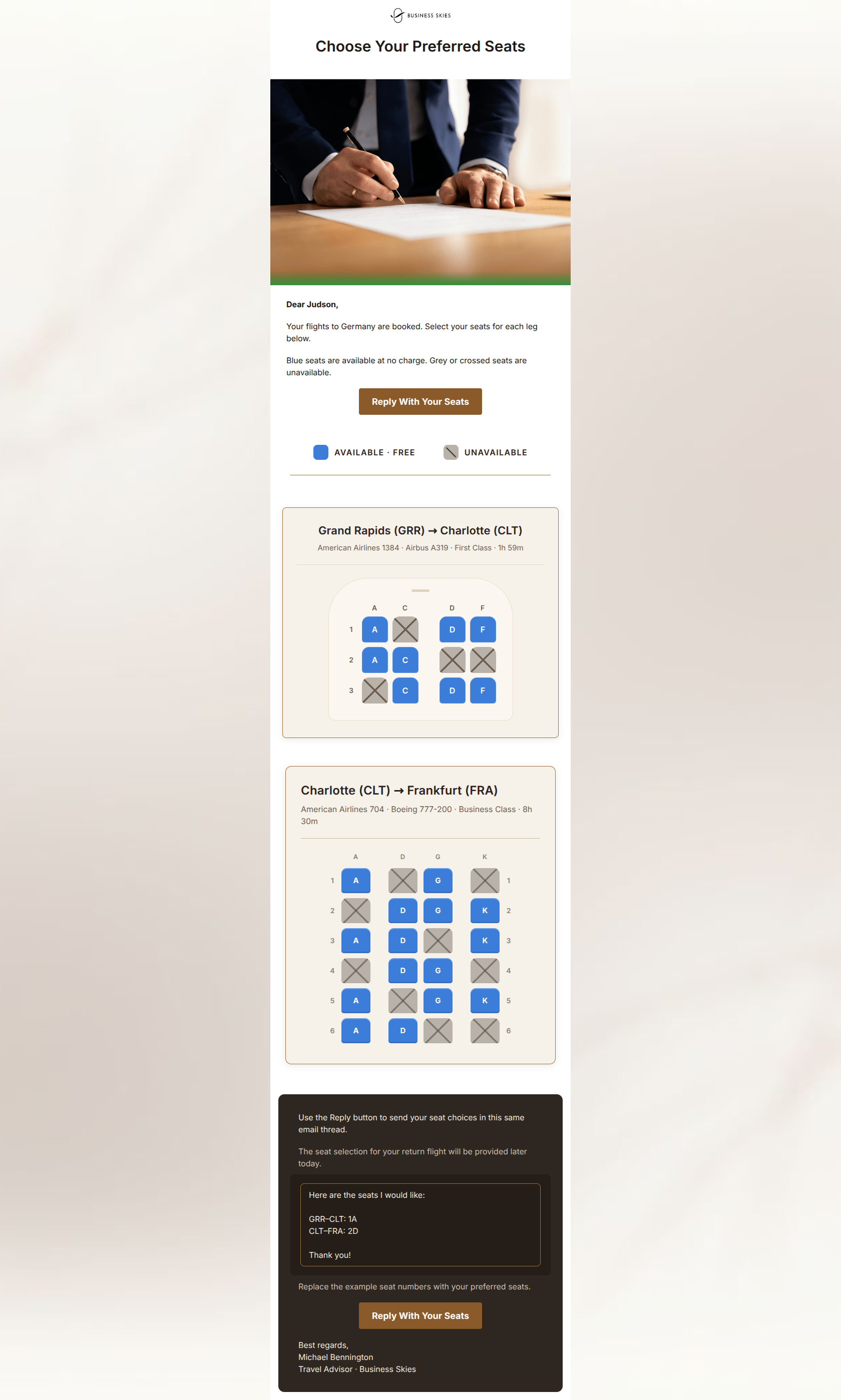
91/100This is an outstanding example of a premium operational email. It acts as an extension of the brand's concierge value proposition by removing friction from the seat selection process. The visual hierarchy, deep personalization, and 'done-for-you' tone perfectly match the high-end positioning of Business Skies. The primary area for improvement is resolving the UX conflict between the written instructions to 'reply to this thread' and the technical behavior of the `mailto:` buttons.
Create Your Own
Generate professional email designs like this one in seconds with Kopi AI.
Email Details
- Subject Line
- Choose your preferred seats — Germany trip
- Brand
- Business Skies
- Industry
- Travel & Hospitality
- Email Type
- Marketing
- Created
- July 11, 2026
Brand Colors
Email Copy
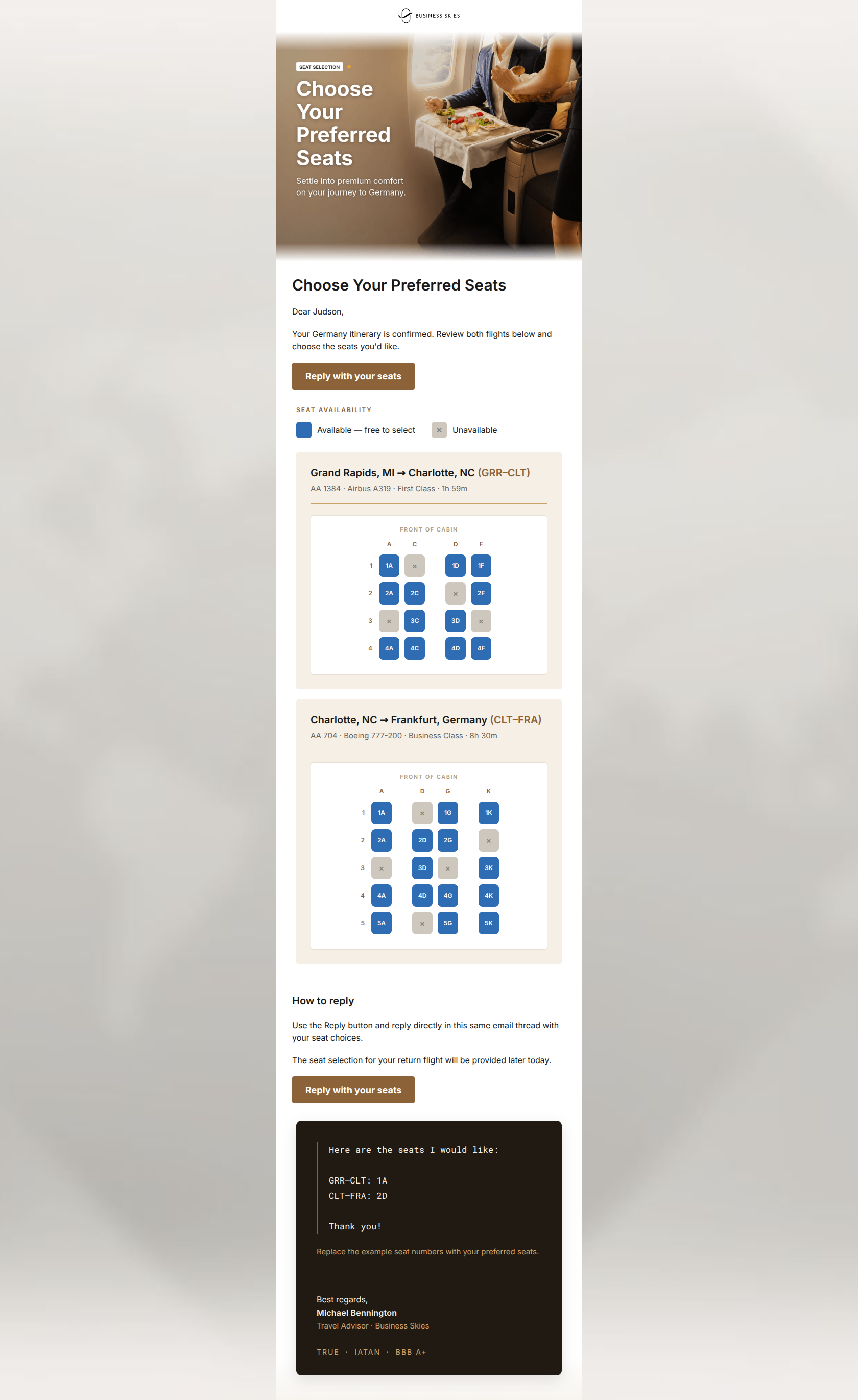
Choose Your Preferred Seats
Dear Judson,
Your Germany itinerary is confirmed. Review both flights below and choose the seats you'd like.
→ Reply with your seats
How to reply
Use the Reply button and reply directly in this same email thread with your seat choices.
The seat selection for your return flight will be provided later today.
→ Reply with your seats
Why This Email Works
This is an outstanding example of a premium operational email. It acts as an extension of the brand's concierge value proposition by removing friction from the seat selection process. The visual hierarchy, deep personalization, and 'done-for-you' tone perfectly match the high-end positioning of Business Skies. The primary area for improvement is resolving the UX conflict between the written instructions to 'reply to this thread' and the technical behavior of the `mailto:` buttons.
Hero (top/initial part) Impact
85/100- Aspirational business class image sets a premium tone immediately.
- Clear overlaid text establishes the exact purpose of the email without forcing the user to scroll.
Content Structure & Flow
95/100- Logical top-to-bottom flow (Context -> Options -> Instructions -> Example).
- Places the heaviest cognitive load (seat maps) neatly in the middle, bracketed by clear text instructions.
Visual Hierarchy & Layout
95/100- Masterful use of cards and dividers to cleanly separate the two distinct flights.
- The dark espresso card at the bottom creates a distinct, impossible-to-miss zone for the reply template.
- Excellent placement and contrast on the seat map legend prior to the images.
Call-to-Action Strength
80/100- Button copy is highly specific and action-oriented ('Reply with your seats').
- Buttons use the brand's bronze color for strong contrast against the white background.
Message Clarity & Tone
92/100- Handles a purely operational task with white-glove professionalism.
- No marketing fluff; the tone is authoritative and reassuring.
Readability & Scannability
92/100- Excellent use of bolding for the flight routes (GRR–CLT) to anchor the eye.
- Generous padding keeps the complex seat maps from feeling overwhelming.
Offer & Value Proposition
95/100- Bringing the seat maps directly to the inbox saves the user from navigating a clunky airline portal.
- The inclusion of an exact copy-paste template is a massive value-add that reduces friction to near zero.
Personalization & Audience Fit
98/100- Incorporates the user's name, specific destination, and exact flight numbers.
- Uses custom seat map imagery specific to the user's exact aircraft and booking class.
Copy Conciseness & Word Economy
88/100- Free of filler adjectives and empty marketing jargon.
- Gets straight to the point in the intro paragraph.
Quick Wins
- Remove the H1 'Choose Your Preferred Seats' below the hero image, as it duplicates the text already present in the hero graphic.
- Tighten the reply instructions to remove wordiness (e.g., change 'Use the Reply button and reply directly in this same email thread' to simply 'Reply to this email').
- Add a subject line parameter to the mailto links (e.g., ?subject=Seat Selection for Judson) to ensure incoming replies are easily tracked if the user clicks the button and opens a new draft.
Create Professional Email Designs
Generate beautiful, on-brand email designs in seconds. Just enter your brand URL and let AI do the rest.