SaaS & Software Announcement Email Template
“Streamline Design Handoffs”
Design Score
83/100This is a strong, highly targeted email that speaks the language of its developer audience effectively through visual cues (VS Code screenshots) and problem-aware copy. However, the conversion path is diluted by competing CTA goals and a hero section that over-explains the brand rather than jumping straight into the value of the specific feature.
Create Your Own
Generate professional email designs like this one in seconds with Kopi AI.
Email Details
- Subject Line
- Streamline Design Handoffs
- Brand
- Figma
- Industry
- SaaS & Software
- Email Type
- Announcement
- Created
- January 7, 2026
Brand Colors
Email Copy
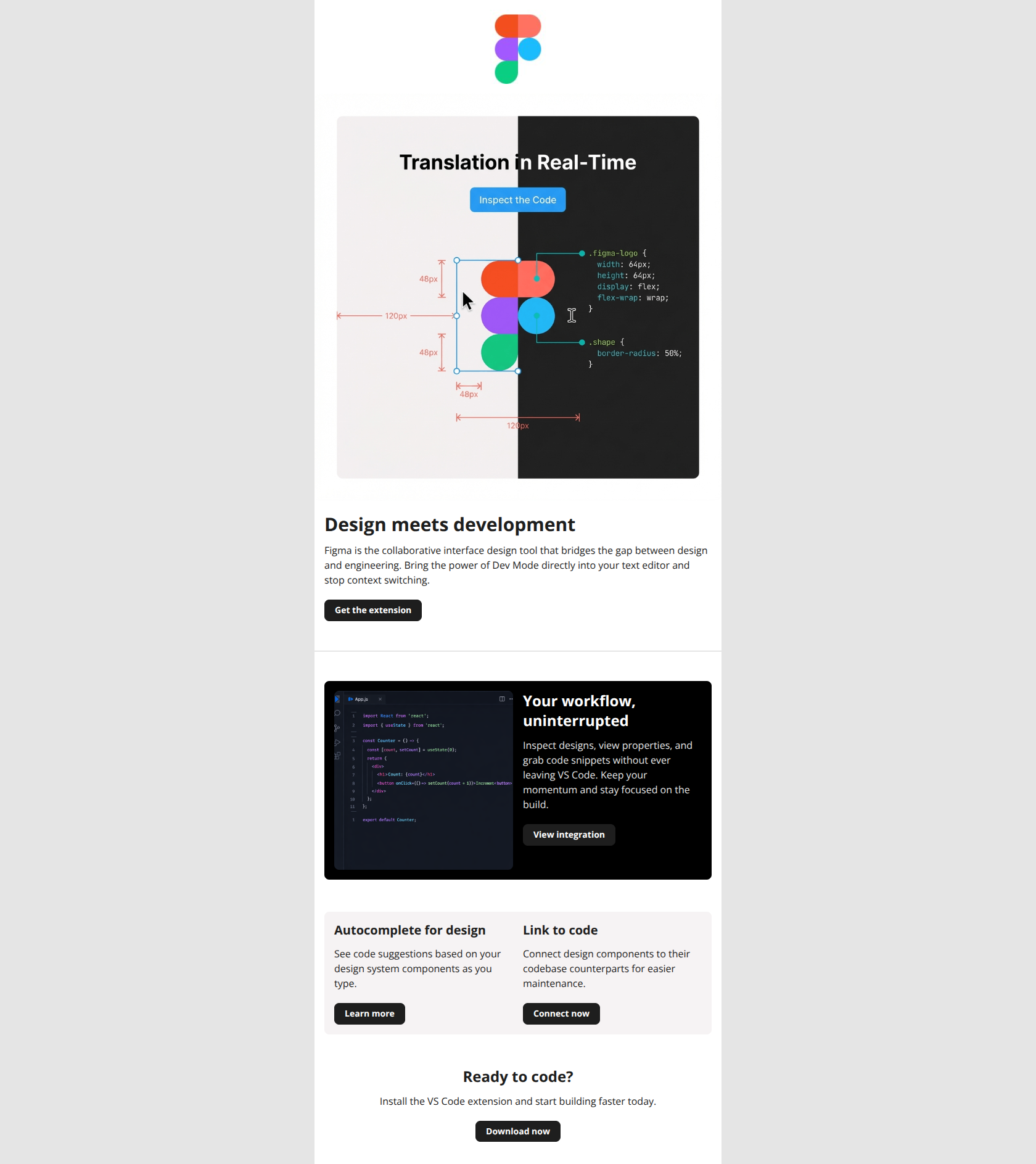
Design meets development
Figma is the collaborative interface design tool that bridges the gap between design and engineering. Bring the power of Dev Mode directly into your text editor and stop context switching.
→ Get the extension
Your workflow, uninterrupted
Inspect designs, view properties, and grab code snippets without ever leaving VS Code. Keep your momentum and stay focused on the build.
→ View integration
Autocomplete for design
See code suggestions based on your design system components as you type.
→ Learn more
Link to code
Connect design components to their codebase counterparts for easier maintenance.
→ Connect now
Ready to code?
Install the VS Code extension and start building faster today.
→ Download now
Why This Email Works
This is a strong, highly targeted email that speaks the language of its developer audience effectively through visual cues (VS Code screenshots) and problem-aware copy. However, the conversion path is diluted by competing CTA goals and a hero section that over-explains the brand rather than jumping straight into the value of the specific feature.
Hero (top/initial part) Impact
85/100- Headline 'Design meets development' is punchy and immediately frames the topic.
- The split-screen visual (Design UI vs Code) instantly communicates the value proposition without text.
Content Structure & Flow
90/100- Excellent use of the inverted pyramid; big concept first, specific workflow details second.
- Section breaks are visually distinct, using background colors to separate the 'concept' from the 'workflow' environment.
Visual Hierarchy & Layout
88/100- The dark mode card effectively mimics the VS Code environment, signaling 'this is for developers' instantly.
- Good use of white space around the text prevents the technical content from feeling overwhelming.
Call-to-Action Strength
75/100- Primary buttons are pill-shaped and clearly recognizable as interactive elements.
- The final 'Download now' CTA provides a clear catch-all for users who scrolled to the bottom.
Message Clarity & Tone
82/100- Phrases like 'Stop context switching' and 'Your workflow, uninterrupted' show deep empathy for developer pain points.
- Technical terminology (VS Code, properties, code snippets) is used correctly, building trust.
Readability & Scannability
85/100- Short paragraphs (2-3 lines max) prevent walls of text.
- Headlines stand out clearly against body copy.
Offer & Value Proposition
80/100- The value prop appeals directly to the user's desire for efficiency and speed.
- The imagery proves the value proposition rather than just stating it.
Personalization & Audience Fit
75/100- The inclusion of VS Code screenshots is a high-trust signal for the target audience.
- The overall aesthetic mimics the product interface, creating a seamless brand experience.
Quick Wins
- Delete the first sentence of the hero copy ('Figma is the collaborative interface design tool...').
- Change the 'View integration' button color on the black card to White or a high-contrast Blue to ensure it is visible.
- Hyperlink the main hero image to the download page to catch clicks on the fake 'Inspect' button.
- Rename the final CTA from generic 'Download now' to specific 'Install VS Code Extension'.

Create Professional Email Designs
Generate beautiful, on-brand email designs in seconds. Just enter your brand URL and let AI do the rest.