Electronics & Tech Announcement Email Template
“New Apple Updates Are Here! 🚀”
Design Score
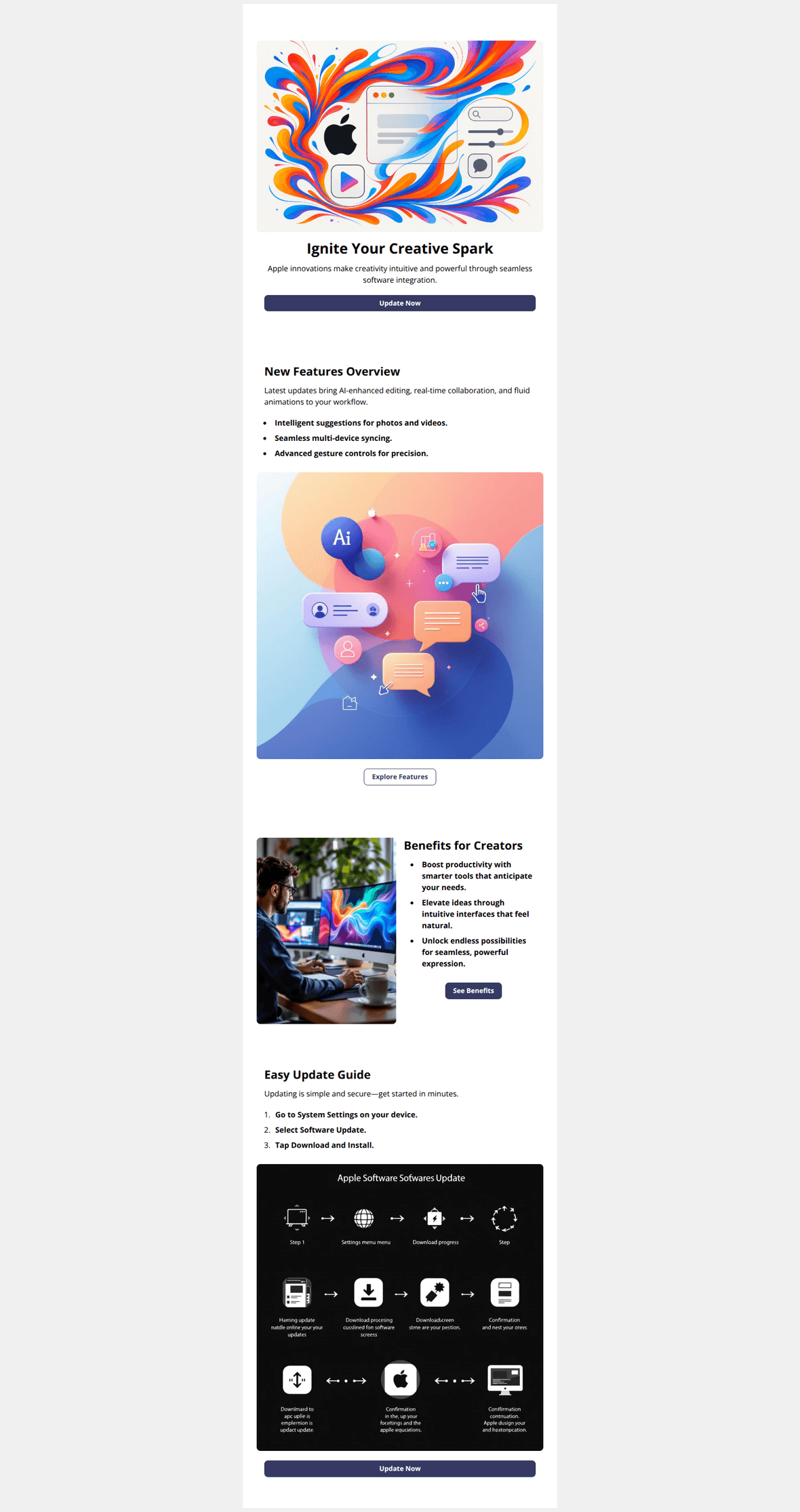
75/100Polished layout and clear sections make this a strong starting point, but the messaging mixes “update now” with a preview link and leans on generic language. Tighten the value prop, align CTAs to a single goal, and correct the infographic to protect brand trust.
Create Your Own
Generate professional email designs like this one in seconds with Kopi AI.
Email Details
- Subject Line
- New Apple Updates Are Here! 🚀
- Brand
- Apple
- Industry
- Electronics & Tech
- Email Type
- Announcement
- Created
- October 24, 2025
Brand Colors
Email Copy
Ignite Your Creative Spark
Apple innovations make creativity intuitive and powerful through seamless software integration.
→ Update Now
New Features Overview
Latest updates bring AI-enhanced editing, real-time collaboration, and fluid animations to your workflow.
- Intelligent suggestions for photos and videos.
- Seamless multi-device syncing.
- Advanced gesture controls for precision.
→ Explore Features
Benefits for Creators
- Boost productivity with smarter tools that anticipate your needs.
- Elevate ideas through intuitive interfaces that feel natural.
- Unlock endless possibilities for seamless, powerful expression.
→ See Benefits
Easy Update Guide
Updating is simple and secure—get started in minutes.
- Go to System Settings on your device.
- Select Software Update.
- Tap Download and Install.
→ Update Now
Why This Email Works
Polished layout and clear sections make this a strong starting point, but the messaging mixes “update now” with a preview link and leans on generic language. Tighten the value prop, align CTAs to a single goal, and correct the infographic to protect brand trust.
Hero (top/initial part) Impact
75/100- High-impact imagery that conveys creativity.
- Clear, primary CTA centered and full-width for easy action.
Content Structure & Flow
82/100- Concise bullets and a numbered update guide aid quick comprehension.
- Repeated CTAs at top and bottom support both skimmers and deep readers.
Visual Hierarchy & Layout
84/100- Clean, modern layout consistent with premium branding.
- Good use of white space and contrast to separate sections.
Call-to-Action Strength
78/100- Multiple, well-placed CTAs aligned to different intent stages.
- Clear verbs (“Update,” “Explore,” “See”) improve clarity.
Message Clarity & Tone
70/100- Short bullets and simple steps keep copy concise.
- Consistent, encouraging tone that matches a creative theme.
Readability & Scannability
82/100- Bulleted lists and ordered steps are easy to scan.
- Good contrast between headers, body, and CTAs.
Offer & Value Proposition
68/100- Clear promise of creative enhancements.
- Simple, actionable update steps support the offer.
Personalization & Audience Fit
60/100- Creator-focused section can resonate strongly with that segment.
- Clear, universal steps make sense for most users even without personalization.
Quick Wins
- Fix the visible typo in the infographic header from “Apple Softwares Update” to “Apple Software Update,” or remove the graphic.
- Align both “Update Now” buttons to the same canonical update destination.
- Replace the abstract hero subhead with a concrete benefit line (e.g., “Smarter photo edits. Real‑time collaboration. Fluid animations.”).
- Trim alt text to functional descriptions by removing style descriptors that don’t aid understanding.
- Name the OS in the hero (e.g., “Update to iOS/iPadOS/macOS today”) to reduce ambiguity.

Create Professional Email Designs
Generate beautiful, on-brand email designs in seconds. Just enter your brand URL and let AI do the rest.