SaaS & Software Promotional Email Template
“Deploy your secure, always-on AI co-worker swarm.”
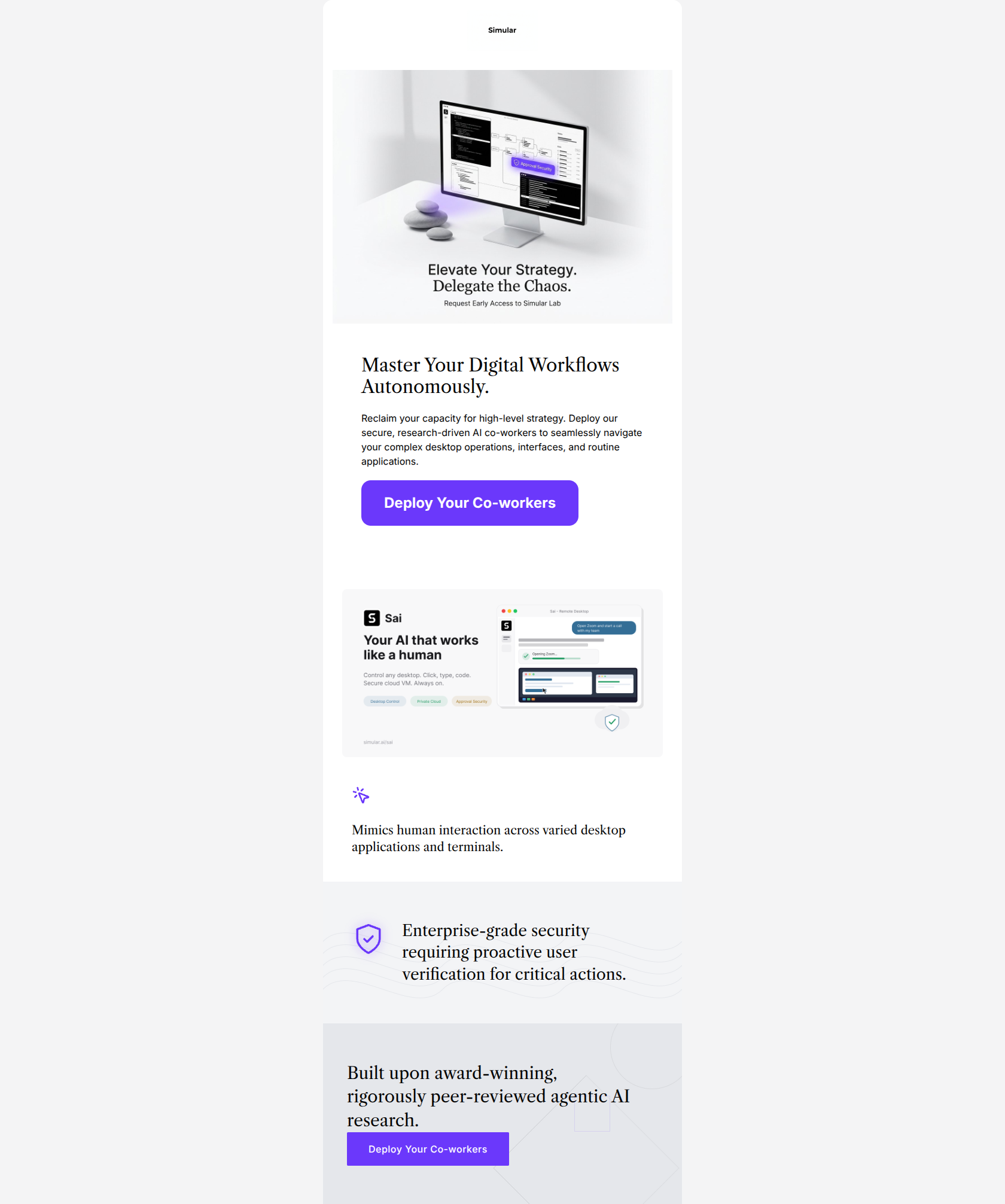
Design Score
78/100This email effectively captures Simular's 'Zen Minimalism meets Deep Tech' aesthetic. The stark black-and-white layout punctuated by vibrant violet CTAs creates an excellent visual hierarchy that guides the eye. The brand tone—academic, authoritative, and confident—shines through in the copy. However, a significant cognitive conflict exists in the hero section: the embedded image text promotes 'Early Access to Simular Lab,' while the live text and CTA demand you 'Deploy Your Co-workers.' This mixed messaging muddles the actual offer and will suppress click-through rates. Resolving this friction and adding structural connective tissue to the middle sections will elevate this from a strong attempt to a high-converting asset.
Create Your Own
Generate professional email designs like this one in seconds with Kopi AI.
Email Details
- Subject Line
- Deploy your secure, always-on AI co-worker swarm.
- Brand
- Simular
- Industry
- SaaS & Software
- Email Type
- Promotional
- Created
- March 13, 2026
Brand Colors
Email Copy
Master Your Digital Workflows Autonomously.
Reclaim your capacity for high-level strategy. Deploy our secure, research-driven AI co-workers to seamlessly navigate your complex desktop operations, interfaces, and routine applications.
→ Deploy Your Co-workers
Mimics human interaction across varied desktop applications and terminals.
Why This Email Works
This email effectively captures Simular's 'Zen Minimalism meets Deep Tech' aesthetic. The stark black-and-white layout punctuated by vibrant violet CTAs creates an excellent visual hierarchy that guides the eye. The brand tone—academic, authoritative, and confident—shines through in the copy. However, a significant cognitive conflict exists in the hero section: the embedded image text promotes 'Early Access to Simular Lab,' while the live text and CTA demand you 'Deploy Your Co-workers.' This mixed messaging muddles the actual offer and will suppress click-through rates. Resolving this friction and adding structural connective tissue to the middle sections will elevate this from a strong attempt to a high-converting asset.
Hero Impact
68/100- Strong, benefit-driven H1 ('Master Your Digital Workflows Autonomously') that instantly communicates the core value.
- Beautiful, brand-aligned imagery that sets the 'Zen Minimalism' tone immediately.
Content Structure & Flow
75/100- Clear, linear narrative arc that builds trust as the user scrolls.
- Generous use of whitespace prevents the content from feeling overwhelming.
Visual Hierarchy & Layout
82/100- Excellent contrast; CTAs and key value propositions are impossible to miss.
- Effective use of background color shifts (white -> light gray -> darker gray) to subtly segment content blocks.
Call-to-Action Strength
78/100- High-contrast button design that draws immediate attention.
- Action-oriented, product-specific CTA phrasing rather than a generic 'Learn More'.
Message Clarity & Tone
88/100- Exceptional alignment with the brand's psychographic profile; it sounds like a sophisticated tech partner.
- Avoids hyperbole and focuses on concrete, high-level operational benefits.
Readability & Scannability
80/100- Icons serve as excellent visual anchors that draw the eye down the page.
- Text is broken into digestible, single-thought chunks.
Offer & Value Proposition
72/100- The core benefit of the product—delegating chaos to focus on strategy—is communicated instantly.
- Addresses a major objection (security) directly in the flow of the email.
Personalization & Audience Fit
85/100- Directly tackles the 'black box' AI objection by emphasizing transparent, user-verified security.
- Appeals to the audience's desire for elevated strategic thinking over menial tasks.
Quick Wins
- Remove the 'Request Early Access' text embedded in the hero image to eliminate CTA confusion.
- Add a brief sentence of explanatory body copy under the 'Mimics human interaction' heading in section two.
- Align the left padding of the text in the grey custom HTML blocks with the text in the white hero block to create a clean, unbroken vertical scanning line.


Create Professional Email Designs
Generate beautiful, on-brand email designs in seconds. Just enter your brand URL and let AI do the rest.